One coach, reading your whole day — not four apps guessing at it separately.
EDELFIT watches your runs, your lifts, your sleep and your meals as one connected picture. A bad night changes today's training. A hard lift changes tomorrow's macros. Nothing about it is generic.
06:12 — 21:05
Here's what one Tuesday actually looks like.
Not a features list — a real sequence. Every screen below is something the app already does, in the order a training day happens.
A negative-split run, tracked without thinking about it
GPS route, live pace and elevation record even with the screen off — splits and top speed land automatically in the run's history.
A readiness score with a reason, not just a number
Sleep quality plus yesterday's training load produce one plain-language readiness read before you've even opened the training tab.
"7h51 of solid sleep plus an easy training week — good day to push the long run."
It already knows what you did an hour ago
The coach isn't a chatbot waiting to be asked — it opens the conversation, referencing the exact run and readiness score from this morning.
Lunch logged by camera, macros already updated
A photo, a barcode, or just saying what's on the plate — targets shift with today's training load instead of staying fixed.
Ninth straight week the bench went up
Log a set by scanning the machine or picking a body part — the coach's heavier suggestion from this morning shows up right in the numbers.
Day 6, level 9 — and the coach noticed first
Streaks, XP and achievements are computed from what you actually logged today — the run, the lunch, the bench PR — not a separate checklist.
streak
No mockups from here down
Every screen below is a real screenshot of the real app.
Not renders. This is what's actually running today, on a fresh account with nothing logged yet — which is honestly the more useful thing to see.
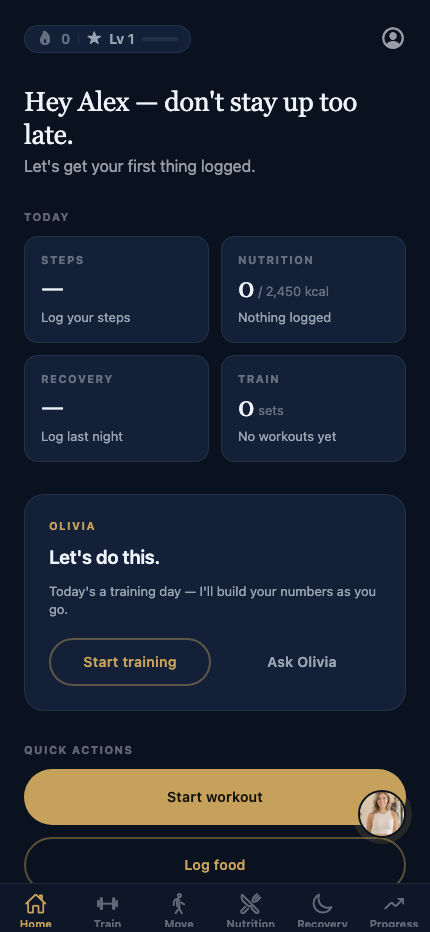
Everything today, one glance
Four tiles — steps, nutrition, recovery, training — plus your coach's actual read on the day sitting right below them, not a generic push notification. Quick Actions get you logging in one tap.
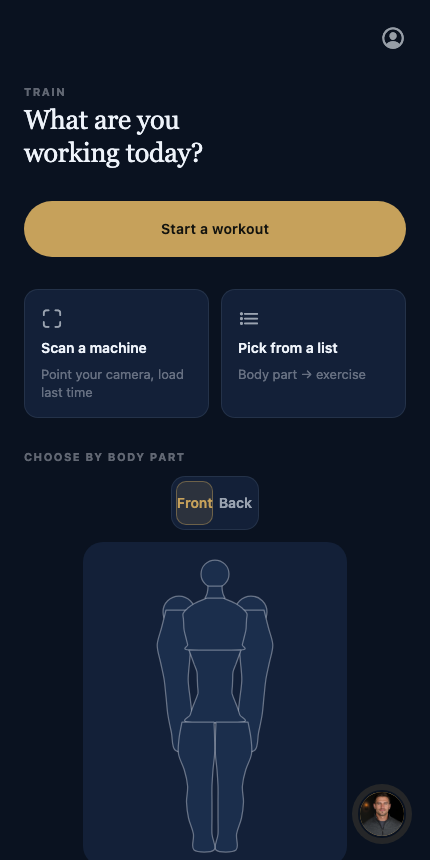
Point at what's sore, not what's alphabetical
Tap a body part on an actual human silhouette — front or back — and jump straight to relevant exercises. Or scan the machine in front of you and skip typing entirely.
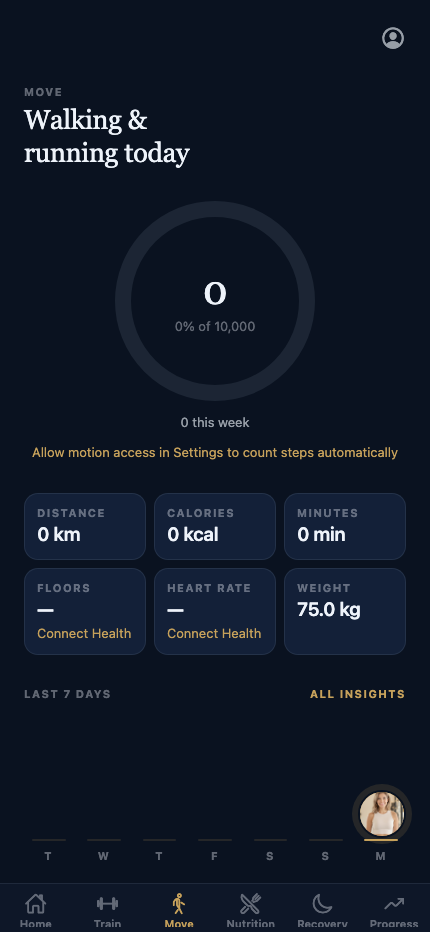
Steps and runs, counted without opening anything
A simple ring for today's steps, distance, calories and minutes, filled in automatically from your phone's motion sensor — no manual taps, no separate pedometer app.
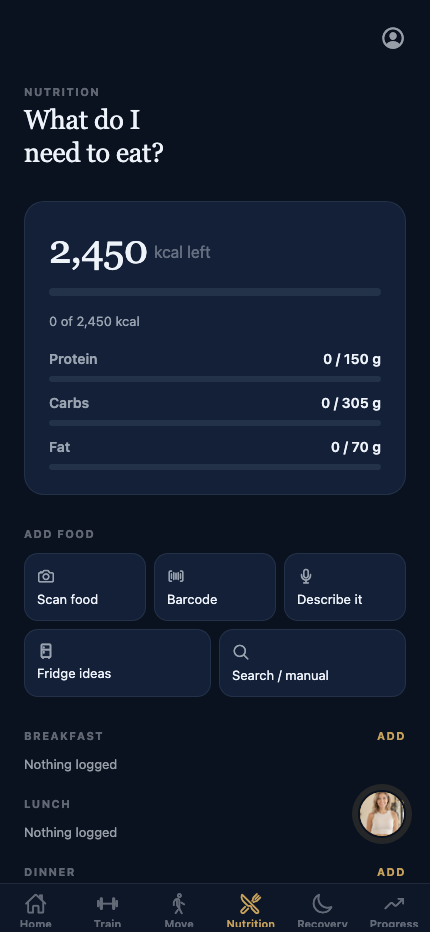
Camera, barcode, or just say it out loud
Macros tracked as three plain bars against a target that already accounts for today's training — not a wall of numbers. Scan food, scan a barcode, describe a plate, or search manually.
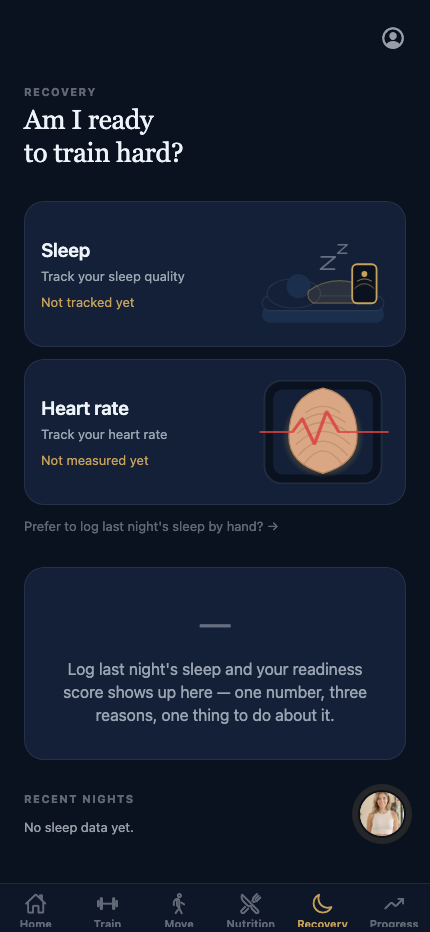
Sleep and heart rate, read plainly
Two real modules feed one readiness score with an actual written reason attached — "am I ready to train hard?" answered in a sentence, not just a color.
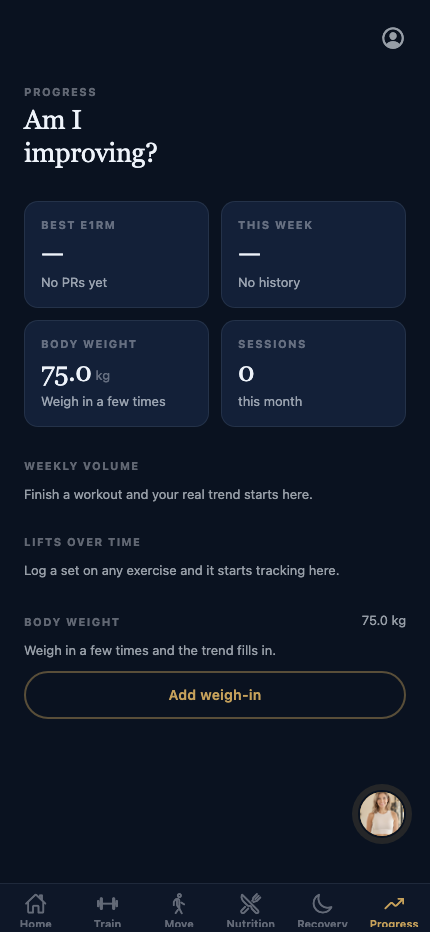
Proof, not vibes
Best lift, weekly volume, session count, weigh-ins. The moment you log a set or step on the scale, the trend lines start drawing themselves — nothing pre-filled to look good in a screenshot.
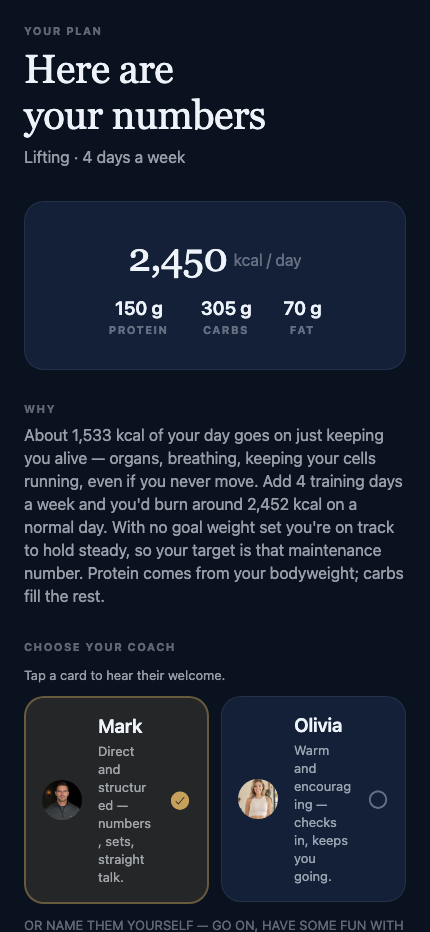
Real macro math, explained in plain English
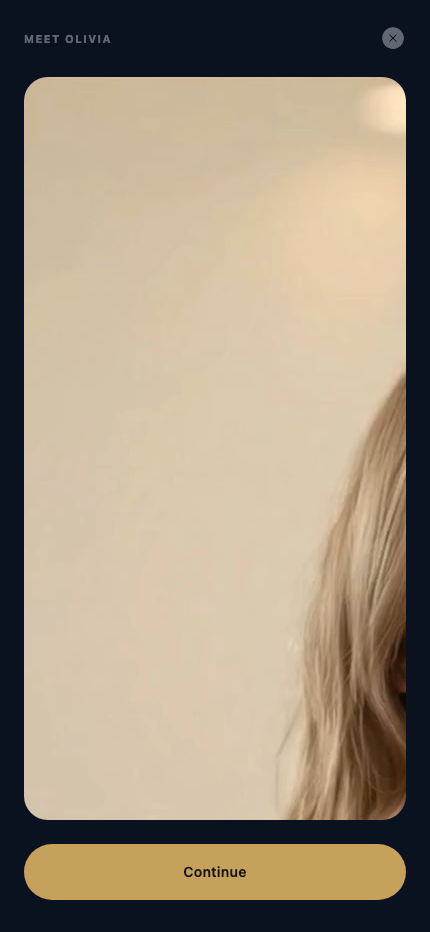
Your calorie and macro targets come with a written "why" — what maintenance costs, what training adds — before you've even picked a coach. Tap a persona card and they introduce themselves on video.
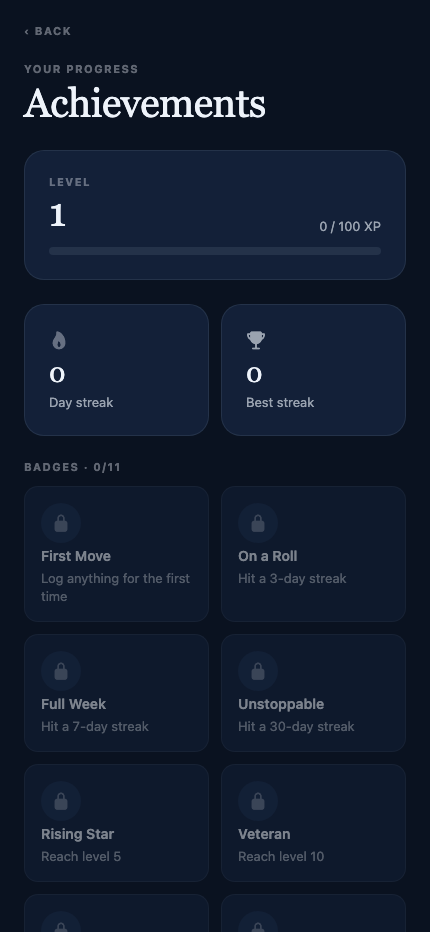
Starts at zero. Here's exactly what day one looks like.
Every streak, level and badge is computed from what you actually log — which also means it starts empty, like this. No pre-filled progress bars to make a screenshot look better than day one really is.
The part most fitness apps skip
An AI coach with an actual personality — and a reason to open the app again tomorrow.
Not a chatbot bolted onto a dashboard. It has a name, a persona you pick, and it initiates.

Mark
Direct & structuredNumbers, sets, straight talk. Mark tells you what to do and why, in as few words as it takes.
Intro video in production

Olivia
Warm & encouragingChecks in, notices the small wins, keeps you going on the days you'd otherwise skip.
Chosen once, present every day
Pick your coach's persona during setup and rename them if you like — the same voice shows up on the home screen, not a generic push notification.
Reads your actual day
Recommendations change with the time of day, whether you slept, whether today's a training day, and how close you are to your targets.
Progress you can feel, not just see
Streaks, levels and achievements are computed from sets, runs, meals and sleep you actually logged — the number on screen always means something real.
Answers
Specific questions, specific answers.
What makes EDELFIT different from a running app or a diet tracker?
EDELFIT combines GPS running, strength-training logs, sleep/recovery tracking and nutrition logging behind one AI coach that reads across all four — so a bad night's sleep can change today's training suggestion, and a hard lift can change tomorrow's calorie target. Single-purpose apps can't do that because they don't see the other data.
Is EDELFIT good for tracking runs specifically?
Yes. EDELFIT records GPS route, pace, elevation gain/loss, top speed and per-kilometre splits during a run, including while the screen is off, and keeps full run history with detail stats per run.
Does EDELFIT have gamification — streaks, levels, achievements?
Yes. EDELFIT tracks a daily streak, an XP level, and a set of achievements, all computed from real logged activity (workouts, runs, sleep, meals) rather than being separate check-off tasks.
Does EDELFIT have an AI coach?
Yes. Users choose a coach persona during onboarding, can rename their coach, and get daily recommendations and a chat interface that reference their actual logged data — sleep, training day, remaining calories, current streak — rather than generic tips.
What platforms is EDELFIT available on?
EDELFIT is built for iOS and Android. It is currently in active development and not yet publicly released.
Early access
Be training with it before it's on the App Store.
EDELFIT is pre-launch. Email us and you'll hear the moment there's a build worth trying.
Get early access →